

Ada Programming like it's 1985
A few days ago, someone posted a request for the Abacus Commodore 64 Ada compiler on the reddit Ada channel, which led to the discovery of this page: https://www.lyonlabs.org/commodore/onrequest/collections.html
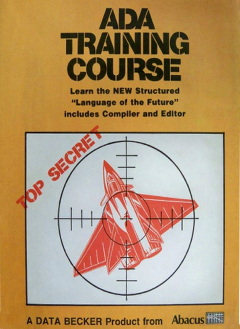
It contains a collection of Commodore 64 (C64) software packages and manuals for a bunch of programming languages. One of them is indeed targeting Ada: “Learn the NEW Structured Languages of the Future”! This package includes an Ada tutorial and a toolchain for the Commodore 64, written by Volker Sasse, published by Abacus and distributed by Data Backer.
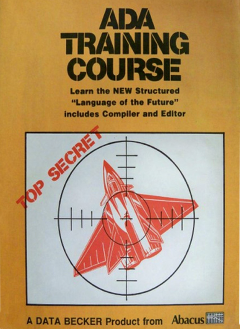
I remember seeing this cover page before, but I didn’t know it was a course for the C64 and that there was a toolchain provided with it. Even though I never owned a Commodore 64, and this package was released a couple of years before I was born, I enjoy looking at the early days of home computers. With their relative simplicity and direct access to the hardware, these systems speak to my embedded engineer’s heart.
After a quick look at the manual I decided to give it a try using a C64 emulator. How hard can it be?
Well it’s not too hard actually, but very slow that’s for sure. I used the Denise emulator on Linux. Here is a screen capture of me writing and compiling a “Hello World” Ada program for the Commodore 64.
The video is 8 minutes long, but I sped up some sections. The time to write, compile and run a hello world program is around 12 minutes. Every time you see me click on the left hand side of the screen, I am swapping the disk in the virtual drive. On an actual C64 that would have been a lot more annoying of course.
A few tips if you want to try it yourself on the Denise emulator:
- The key combination to type an underscore (“_”) in the editor is Commodore key + P. By default the Commodore key is mapped to the left control key on your keyboard.
- When typing a double quote in the editor, an up-arrow character is displayed. You can still compile and run the code like this, so it’s probably just a display error in the editor.
- Typing on the spacebar on my keyboard didn’t work with Denise. I had to map the space key to the left button of my mouse.
Kudos to the early hackers, programming was a different experience back then :)
Author
Fabien Chouteau

Fabien joined AdaCore in 2010 after his engineering degree at the EPITA (Paris). He is involved in real-time, embedded and hardware simulation technology. Maker/DIYer in his spare time, his projects include electronics, music and woodworking.